
Buy USDT with Venmo: Check Offers, Costs, and Payment
Buying USDT with Venmo requires more than finding a willing seller. Learn what to check before paying, how escrow works, and how to compare the cost of USDT you can actually withdraw.
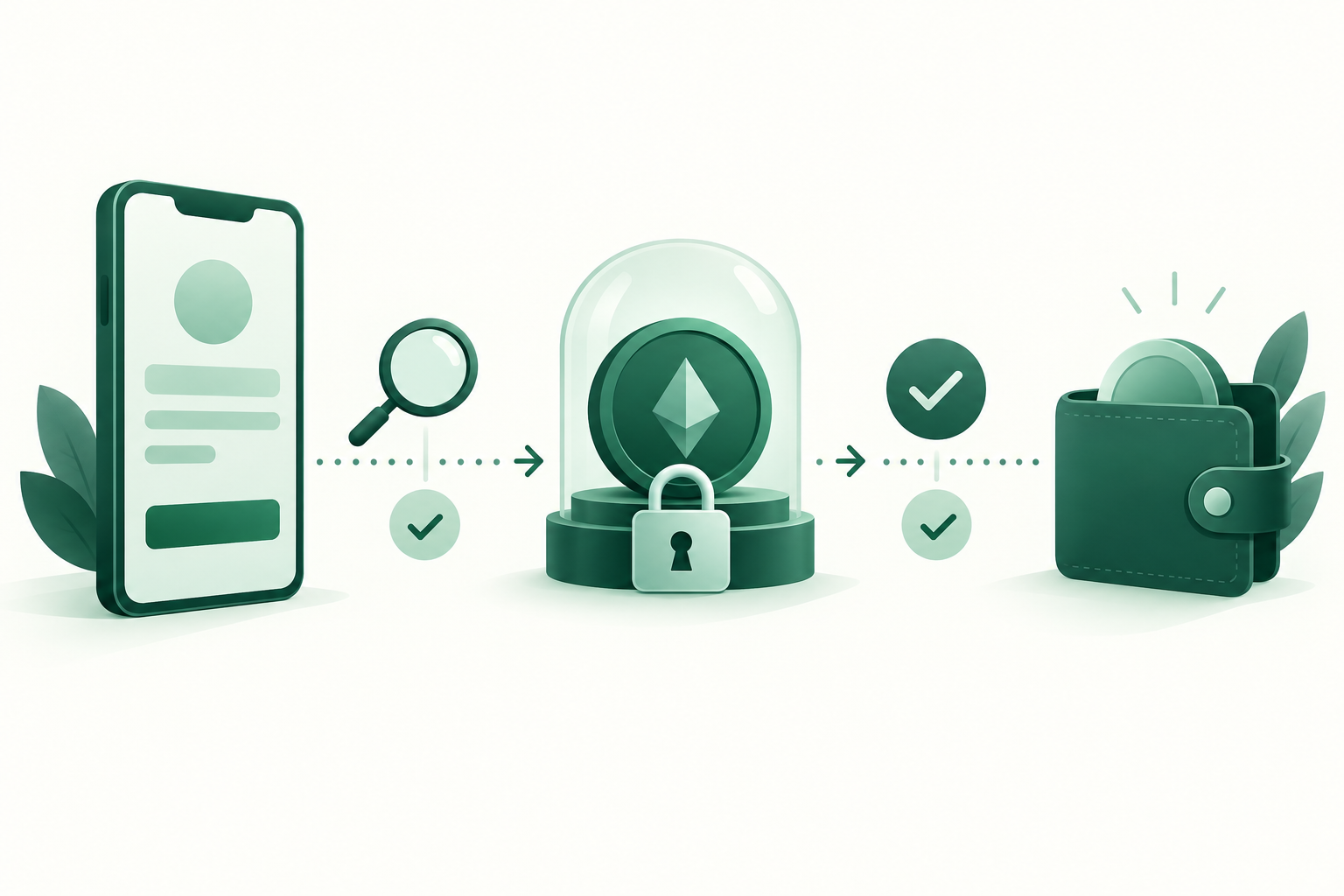
You can buy USDT with Venmo through a peer-to-peer offer only if a seller accepts it and the transaction is permitted under Venmo’s current rules and the marketplace’s terms. The basic process is to find an eligible offer, confirm the seller’s USDT is locked in escrow, send the agreed payment, and wait for release. Do not assume Venmo offers are available on VouchEx: check the live marketplace before committing money.
This guide explains how to evaluate that route, calculate your real cost, and handle a payment that does not go as planned.
First, check whether Venmo is a usable payment route
Buying USDT from another person using Venmo is different from buying cryptocurrency inside a payment app. In a P2P trade, Venmo would handle the money transfer while the marketplace handles the crypto side.
A seller’s willingness to accept Venmo does not establish that the payment complies with Venmo’s rules. Before trading, review the current user agreement and acceptable-use rules for crypto-related payments, your account type, and your location. If the proposed transaction is not permitted, choose another payment route rather than disguising it.
Check these practical requirements too:
- Your account can send the full payment within its current limits.
- Your chosen funding source is available and any applicable charges are clear.
- You can satisfy the seller’s disclosed payment requirements without using someone else’s account.
- The seller’s accepted currency matches the offer and your intended payment.
- You understand whether any payment protection applies to this particular transaction.
Do not assume a payment will qualify for purchase protection merely because it goes through Venmo. Likewise, a seller cannot make an otherwise prohibited transaction acceptable by asking you to label it as something else.
What VouchEx supports—and what you must check live
VouchEx is a P2P marketplace for USDT on the TRC-20 network and Bitcoin. It supports hundreds of payment methods in many local currencies, but that does not guarantee an active Venmo seller at any particular time.
Start with the live marketplace. Look for an offer that explicitly accepts Venmo for USDT, and review its terms before starting a trade. If no suitable offer appears, do not open an unrelated offer and negotiate a different payment method privately.
Anyone can post a buy or sell offer for free, with no merchant deposit. Posting an offer, however, does not guarantee a matching seller or override payment-provider restrictions.
Understand what escrow actually protects
Every VouchEx trade is protected by escrow: the seller’s crypto is locked until they confirm they received payment. This helps prevent a seller from taking payment while simply withdrawing the crypto committed to that trade.
Escrow does not control Venmo. It cannot prevent a payment hold, make an incorrect recipient return money, guarantee a refund, or turn a pending transfer into a completed one.
Think of the transaction as two separate records:
- Money side: the payment’s recipient, amount, status, and transaction reference.
- Crypto side: the agreed USDT amount, escrow status, and release status.
A successful trade requires both sides to match. A screenshot saying “paid” is not a substitute for a completed payment, and a chat message promising escrow is not a substitute for the marketplace showing the crypto is locked.
Compare the total cost before starting
The cheapest-looking offer is not necessarily the best value. Compare the amount you will spend with the USDT you can actually receive and, if needed, withdraw.
VouchEx’s stated fees are:
- Buyer fee: 1% per completed trade.
- Seller fee: 1% per completed trade.
- USDT withdrawal fee: $2.
- Deposits: free.
The seller’s fee is separate from your buyer fee, although sellers may account for their costs when setting prices. Check the trade’s displayed amounts rather than assuming how fees are added or deducted.
Also inspect any charge associated with your Venmo funding source and any premium in the seller’s quote. USDT’s dollar reference does not mean every seller must offer it at exactly one dollar per token.
A useful comparison is:
Effective cost per USDT = total money spent ÷ net USDT received at your intended destination.
Use consistent units. If you plan to withdraw, include the displayed effect of the withdrawal fee. If you plan to keep the USDT on the marketplace, compare that outcome separately. A fixed withdrawal fee matters more when it represents a larger share of your purchase.
Step by step: buy USDT with Venmo more carefully
1. Prepare your account and receiving wallet
If you choose VouchEx, create an account before you are ready to pay. Optional authenticator-app 2FA protects withdrawals and releases; enable it before handling funds.
If you intend to withdraw, verify that your destination explicitly supports USDT on TRC-20. A wallet or exchange accepting USDT on another network is not enough. Check the receiving service’s current deposit instructions and any minimum deposit requirement.
2. Read the complete offer
Confirm the asset, payment method, currency, trade limits, price, and payment conditions. Resolve unclear terms before starting the payment countdown.
Where reputation information is available, read it alongside the offer terms. VouchEx offers verified badges through ID verification, but a badge is not a guarantee that every instruction or transaction is safe.
Skip offers that require advance payment outside escrow, unrelated purchases, unexplained extra charges, or off-platform communication as a condition of release.
3. Start the trade and verify escrow
Open the trade through the marketplace. Before sending money, confirm that the seller’s crypto is locked and that the agreed USDT amount matches what you expected.
VouchEx gives buyers a 15-minute payment window. Have your funding source ready beforehand. Do not start a trade while you are still deciding how to fund your payment or whether the receiving wallet supports TRC-20.
4. Check the recipient inside Venmo
Compare the payment details supplied in the trade with the recipient displayed in Venmo. Check the username and available identifying details carefully; a familiar-looking display name alone is weak confirmation.
Stop if the seller unexpectedly substitutes another recipient, asks for payment to an unrelated person, or redirects you to a different payment method.
Use your own eligible account. If a payment note is required, it must be truthful and consistent with the applicable rules. Never invent a purchase description to hide the purpose of the transfer.
5. Send once and preserve evidence
Send the exact agreed amount only after the checks above. Review the payment’s actual status in Venmo rather than assuming it succeeded because you tapped send.
Save the transaction reference, recipient, amount, timestamp, and status. Avoid sharing unrelated account activity or sensitive credentials.
Follow the marketplace’s instructions for reporting payment accurately. Never claim a payment is completed while it is still pending, and never send again merely because the seller says the first transfer has not arrived. Check the original transaction first.
6. Confirm release, then withdraw if needed
The seller confirms receipt and releases the escrowed crypto. Verify the USDT is credited before treating the trade as finished.
For withdrawal, recheck the destination address, TRC-20 compatibility, displayed fee, and final amount. Crypto transfers are generally irreversible; an address or network mistake can be much harder to fix than a delayed trade.
If payment is delayed or the seller does not release
Do not respond to uncertainty by paying twice or moving the discussion elsewhere. Keep the trade record intact and distinguish a payment problem from a release problem.
Venmo shows a pending payment
Tell the seller the actual status in the trade conversation. Do not present a pending transfer as completed or assume escrow extends the payment deadline automatically.
If the payment window is running out, consult VouchEx help for instructions. If you have already sent money, do not cancel merely because the seller asks you to restart; first establish what happened to that payment and how the crypto remains protected.
Venmo shows completed, but the crypto is still locked
Provide the relevant payment evidence in the trade and ask the seller to check their account. Keep the explanation factual: recipient, amount, reference, and status.
VouchEx allows disputes to be opened 3 hours after a trade starts. The person opening the dispute pays 1% of the trade, and moderators aim to resolve disputes within 2 hours. That is a resolution target, not a guaranteed outcome or deadline.
Preserve evidence while you wait. Marketplace moderation addresses the trade; payment-provider support addresses payment-account issues. Neither should be assumed to guarantee recovery.
FAQ
Can I definitely buy USDT with Venmo on VouchEx?
Not necessarily. Check for a live USDT offer explicitly accepting Venmo. VouchEx’s broad payment-method support does not confirm current Venmo availability, and any payment must comply with the applicable provider and marketplace rules.
Is buying USDT with Venmo safe?
It carries counterparty, payment, and crypto-transfer risks. Escrow helps protect the crypto side, but it does not guarantee payment protection, prevent account restrictions, or recover money sent to the wrong recipient. Verify the offer and payment rules before sending.
What fees should I include in my budget?
Include the seller’s quoted price, VouchEx’s 1% buyer fee, and any applicable Venmo funding charges. If withdrawing USDT, also account for VouchEx’s $2 withdrawal fee. Compare the final amount received, not just the advertised exchange rate.
Can I use a friend’s Venmo account?
Use your own eligible account rather than relying on a third party. A different payer can create identity mismatches, complicate payment evidence, and conflict with offer or provider requirements. If your account cannot make the payment, choose another permitted route.
Which USDT network should my wallet support?
VouchEx offers USDT on TRC-20. Your receiving wallet or exchange must explicitly support that network for USDT deposits. Check its current deposit instructions before trading or withdrawing; support for USDT on a different network is not sufficient.
Start Trading on VouchEx with 0% Listing Fees
Explore the open P2P software protocol.