
How to buy bitcoin with paypal: A Practical P2P Guide
You can buy Bitcoin with PayPal by choosing a compatible P2P offer and paying while the seller’s Bitcoin is held in escrow. Here’s how to compare the real cost, avoid payment mistakes, and handle delays.
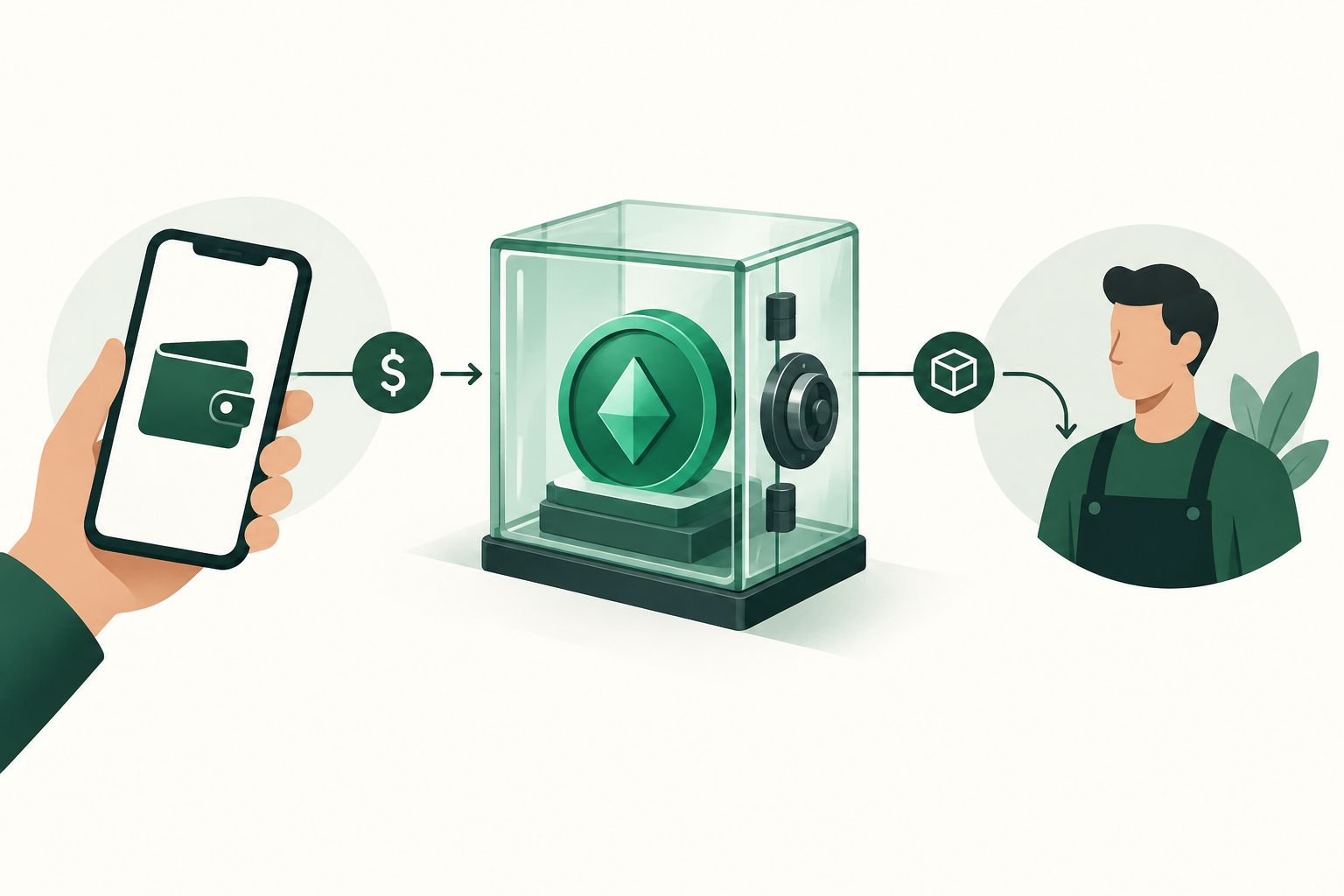
You can buy Bitcoin with PayPal through a peer-to-peer marketplace: choose a seller who accepts PayPal, start an escrow-protected trade, send the agreed payment, and receive Bitcoin after the seller confirms receipt. VouchEx supports Bitcoin and PayPal as a payment method, but you must check whether a suitable offer is available for your currency, amount, and payment conditions before starting.
The important part is not simply finding a PayPal option. It is making sure the payment is permitted, the seller’s terms are workable, and the final amount of Bitcoin justifies the total cost.
Understand what you are buying—and from whom
In a P2P trade, you buy Bitcoin from another person rather than sending PayPal funds to the marketplace as a deposit. The marketplace provides the trading environment and escrow; the seller provides the Bitcoin and payment instructions.
On VouchEx, every trade is protected by escrow. The seller’s cryptocurrency is locked until they confirm that they received payment.
That protection matters, but it has limits. Escrow does not make an incorrect PayPal payment correct, guarantee that PayPal will process a transaction immediately, or replace PayPal’s own rules.
Keep these three parts separate:
- The offer: the seller’s exchange rate, payment conditions, and available amount.
- The payment: your PayPal transfer, including its recipient, currency, status, and any applicable charges.
- The crypto release: the seller’s confirmation and release of the escrowed Bitcoin.
A successful purchase requires all three to line up.
Check PayPal compatibility before opening a trade
A seller accepting PayPal does not mean every PayPal account or transfer will work for that offer. Read the requirements before committing.
Check your account and the seller’s conditions
Confirm that your PayPal account can send the required amount in the requested currency. Review the current PayPal terms applicable to your account and location, including any restrictions relevant to the transaction.
Then check the offer for requirements concerning account ownership, payment type, and supporting evidence. Prefer using an account in your own name. Third-party payments can make it harder to establish who paid and may conflict with the seller’s conditions.
Do not proceed if the seller asks you to:
- Misrepresent the purpose of the payment.
- Use a payment type that does not match the transaction.
- Share a password, one-time code, or account access.
- Pay before a trade exists and escrow is confirmed.
Do not assume PayPal purchase protection covers a cryptocurrency transaction. Check the applicable policy yourself rather than relying on a seller’s assurance.
Make sure you can act within the time limit
VouchEx buyers have a 15-minute payment window. Prepare your PayPal access and funding source before opening the trade.
If you already know your payment may require additional approval or may be delayed, resolve that uncertainty first. Starting a countdown is not a good way to discover that your account cannot send the payment.
Compare the full cost, not just the advertised rate
A competitive-looking offer can become less attractive after trading fees, PayPal charges, currency conversion, and withdrawal costs.
For VouchEx, the stated fees are:
| Cost | Stated fee |
|---|---|
| Buyer trading fee | 1% per completed trade |
| Seller trading fee | 1% per completed trade |
| Bitcoin withdrawal | $5, charged in BTC |
| Deposits | Free |
The seller’s fee is separate from the buyer’s fee, although a seller may account for their costs when setting an offer price. Do not automatically add both trading fees to your own bill.
PayPal charges or conversion costs may depend on the transaction and your account. Review the payment summary before sending rather than assuming the transfer is free.
A useful comparison is:
Effective purchase price = total money spent ÷ Bitcoin ultimately received.
If you intend to withdraw, compare the Bitcoin that will reach your external wallet after the withdrawal fee. If you do not intend to withdraw immediately, keep that future cost visible without treating it as already paid.
Before confirming, check how the displayed trade summary accounts for the buyer fee. Do not guess whether a quoted amount includes it.
Step by step: buy Bitcoin with PayPal on VouchEx
1. Set up and secure your account
Create a VouchEx account and use a unique password. Enable optional authenticator-app two-factor authentication: on VouchEx, it protects withdrawals and releases.
Keep your PayPal account secure as well. Never give another trader access to either account to “help” complete the purchase.
2. Find a suitable Bitcoin offer
Open the VouchEx marketplace and look for Bitcoin offers accepting PayPal. Check the available currency, trade amount, exchange rate, and payment terms.
Do not select a USDT offer when your goal is Bitcoin. VouchEx supports both assets, but buying one does not automatically give you the other.
If no suitable PayPal offer is available, wait rather than accepting a different or unclear payment arrangement. Anyone can also post a buy or sell offer for free, with no merchant deposit, although posting does not guarantee a match.
3. Review the seller and clarify the terms
Read the offer carefully and review whatever trading information the marketplace provides. VouchEx uses ID verification for verified badges, but a badge is not a guarantee of a trouble-free transaction.
Clarify anything that could change the payment: the exact currency, expected amount, permitted payment type, and any account-name requirements.
A seller’s instructions should help you complete a legitimate payment—not tell you how to bypass safeguards.
4. Start the trade and confirm escrow
Start the trade only when you are ready to pay. Confirm that the seller’s Bitcoin is locked in escrow before sending money.
Keep the agreement and relevant messages in the platform’s trade conversation. Moving to an external messenger makes it harder to keep a complete record of what was agreed.
5. Send the exact agreed PayPal payment
Use the recipient details attached to the active trade. Double-check them before sending, along with the amount and currency.
If the seller changes the recipient or requests a split payment after the trade starts, pause and seek clarification. Do not assume a last-minute change is harmless.
Complete payment within the 15-minute window. Never state that you have paid before actually sending the money.
6. Record the payment and follow the trade instructions
After sending, follow the on-screen instructions for indicating payment. Save the PayPal transaction reference, amount, currency, recipient, timestamp, and status.
Provide relevant proof if requested, but avoid exposing unrelated transactions or sensitive account information. A screenshot can help document a payment; it does not turn a pending transfer into received funds.
Do not send a second payment simply because the seller says the first has not arrived.
7. Confirm receipt of Bitcoin
The seller confirms receipt of payment and releases the Bitcoin from escrow. Check your balance and the completed trade record.
If withdrawing to your own wallet, verify that the destination is a Bitcoin address and review the $5 withdrawal fee charged in BTC. Copy addresses carefully and check them again before confirming.
What to do if your PayPal payment is delayed
A payment problem becomes more dangerous when someone tries to solve it with another payment or an off-platform promise.
If you have not sent the money
Do not claim payment. If you cannot meet the terms or payment window, follow the platform’s cancellation or expiry instructions. Avoid sending a late payment against an inactive trade.
If you have already sent the money
Check the transaction directly in PayPal. Record its actual status and notify the seller in the trade conversation.
Do not casually cancel a funded trade, pay again, or accept a promise to settle later outside escrow. If the timer is running out or the trade status is unclear, consult VouchEx help promptly. Seeking help does not mean a formal dispute is immediately available.
On VouchEx:
- A dispute can be opened 3 hours after the trade starts.
- The person opening it pays 1% of the trade.
- Moderators aim to resolve disputes within 2 hours.
That resolution target is not a guarantee. Prepare a concise timeline and relevant evidence, including the agreed instructions, PayPal transaction details, and messages about the problem.
A final check before you pay
Proceed only when you can answer yes to all of these:
- Am I buying Bitcoin, not another asset?
- Do I understand the offer and all visible costs?
- Is this payment consistent with the applicable PayPal rules?
- Is the seller’s Bitcoin locked in escrow?
- Can I pay within the required window?
- Do the recipient, currency, and amount match the active trade?
If any answer is unclear, pause. Finding another offer is usually better than trying to repair an ambiguous payment after sending it.
FAQ
Can I buy Bitcoin with PayPal on VouchEx?
VouchEx supports Bitcoin and PayPal as a payment method. You need a compatible offer for your currency, amount, and payment requirements; support for PayPal does not guarantee that a suitable offer is currently available.
Is buying Bitcoin with PayPal safe?
Escrow reduces the risk of paying a seller who has not committed the cryptocurrency. It does not eliminate payment mistakes, account compromise, processing delays, or disputes. Use an active escrow trade, follow applicable payment rules, and keep evidence.
What fees should I expect?
VouchEx charges buyers 1% per completed trade. A Bitcoin withdrawal costs $5 in BTC. Also consider the seller’s quoted exchange rate and any PayPal or currency-conversion charges shown for your payment.
How long does a PayPal Bitcoin purchase take?
There is no guaranteed completion time. VouchEx gives buyers 15 minutes to pay, but that is a payment window—not a promise of Bitcoin delivery. PayPal processing and the seller’s confirmation can affect completion.
What if I paid but the seller does not release Bitcoin?
Keep the evidence and communicate in the trade conversation. Do not pay again. A VouchEx dispute becomes available 3 hours after the trade starts, costs the opener 1% of the trade, and has a moderator resolution target of 2 hours.
Start Trading on VouchEx with 0% Listing Fees
Explore the open P2P software protocol.